Nano Banana 2 Lite: 7 Smart Reasons to Switch
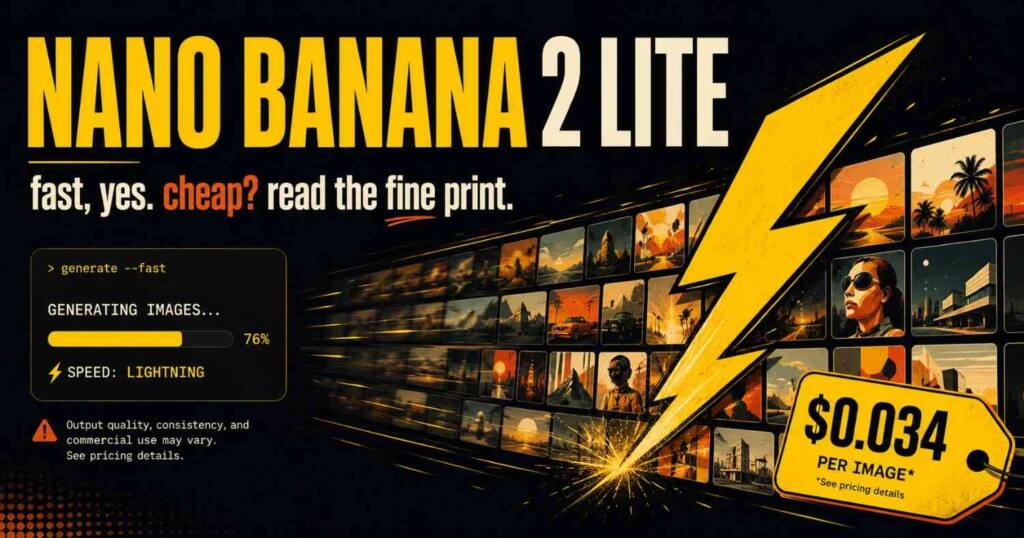
Nano Banana 2 Lite is Google’s fastest Gemini image model at $0.034 per image and 4-second output. See the specs, the catch, and when to actually use it.
Google shipped Nano Banana 2 Lite on June 30, 2026, and the pitch is exactly what you’d guess from the name: the fastest, cheapest image model in the Nano Banana family. Four-second generations. A few cents an image. Thousands of pictures. No thought to the bill.
Most of that holds up. One part of the cost story doesn’t, and it’s the part the announcement and the news writeups skip right over. I dug through Google’s own numbers, the OpenRouter listing, and the early-tester reactions, and the honest read is that Nano Banana 2 Lite is a speed release dressed up as a savings release. That distinction changes when you’d actually reach for it, and it’s the whole reason this piece exists.
Seven things that matter, and the catch.
Nano Banana 2 Lite (model ID gemini-3.1-flash-lite-image) is Google’s fastest Gemini image model, released June 30, 2026. It generates a 1K image in about 4 seconds at $0.034 per image, roughly 2.7 times faster than Nano Banana 2, and works through Google AI Studio, the Gemini API, and Vertex for text-to-image, editing, and multi-image composition.
What is Nano Banana 2 Lite?
It’s the entry rung of Google’s image lineup, tuned for one job: high throughput at low latency. The model handles text-to-image, image editing, and multi-image composition through a single API, and because it’s multimodal it can return text alongside the picture. Outputs land at 1K resolution across 14 aspect ratios, each stamped with an invisible SynthID watermark so the image can be flagged as AI-generated later.
Google positions it as the drop-in replacement for the original Nano Banana (gemini-2.5-flash-image). If you’ve got a pipeline running on that older model, you can swap the model ID and keep moving. It’s available today in AI Studio, the Gemini API, and the Gemini Enterprise Agent Platform, and it’s rolling into consumer surfaces too: AI Mode in Search, the Gemini app, NotebookLM, Google Photos, Stitch, Google Flow, and Google Ads.
How fast and how cheap is Nano Banana 2 Lite?
Fast is the honest headline. Nano Banana 2 Lite returns a text-to-image result in roughly 4 seconds, which Google clocks at about 2.7 times quicker than Nano Banana 2, a gap that in any interactive tool where a user is watching a spinner separates a toy from something people actually keep using.
The price: $0.034 per 1K image. On a token basis, OpenRouter lists it at $0.25 per million input tokens and $1.50 per million output tokens with a 66K context window, so generating at scale gets cheap fast, and thousands of drafts end up costing what a single render from a heavy production model might.
So far it reads like a clean win. Speed up, cost down, swap it in. That’s where the catch lives.
The catch nobody’s putting in the headline
Here’s the number that reframes the whole release. The model Nano Banana 2 Lite replaces, the original Nano Banana, costs $0.039 per image. Nano Banana 2 Lite costs $0.034. That’s about 13% cheaper.
Read that again, because the marketing language (“most cost-efficient”) primes you to expect a much bigger drop. Max Woolf, the developer who got early access and tested it, flagged exactly this on Hacker News: the $0.034 price is higher than you’d expect, since cost usually tracks generation time, and the new model renders in roughly half the time of the one it succeeds. You’re getting double the speed for only a small fraction off the price, which is a strange thing to brand as cost-efficient.
That’s not a knock. It’s a correction to how you should value the thing, because the win here is latency and throughput rather than your per-image cost. If your bottleneck was speed, an interactive app, a real-time preview, a free consumer feature serving millions, this release matters enormously. If your bottleneck was budget and you were already running the original Nano Banana, shaving 13% is nice, but it isn’t the story Google’s framing implies. Reach for it to go faster, not mainly to go cheaper.
Nano Banana 2 Lite vs the rest of the family
Google now sells four image models under this banner, and the names don’t make the differences obvious. Here’s the breakdown, with the verified numbers wherever they exist and qualitative notes where Google stayed vague.
| Model | Model ID | Best for | Speed | Price |
|---|---|---|---|---|
| Nano Banana 2 Lite | gemini-3.1-flash-lite-image | High-volume, low-latency, drafting | ~4s, 2.7x faster than NB2 | $0.034 / 1K image |
| Nano Banana 2 | gemini-3.1-flash-image | Generalist workhorse, best quality-speed balance | Fast | Higher than Lite |
| Nano Banana Pro | gemini-3-pro-image | Complex pro work, most control and reasoning | Slower, accuracy first | Highest |
| Nano Banana (legacy) | gemini-2.5-flash-image | Being retired | ~2x slower than Lite | $0.039 / image |
The short version: Lite for speed and scale, Nano Banana 2 for the quality-to-cost sweet spot, Pro when accuracy beats everything, and the original only until you migrate off it. Woolf’s read after testing was blunt: Lite behaves like a distilled Nano Banana 2, keeping the strong in-image text rendering that the first Nano Banana fumbled, while falling short of the full Nano Banana 2 on highly detailed prompts. That’s the trade for the speed.
Why did Google ship Nano Banana 2 Lite now?
Here’s the dot worth connecting, and no single competitor piece connects it. The day before this launch, Google announced free image generation in the Gemini app, and it pointedly did not say which model would power that free tier.
A free, mass-market image feature needs a model that’s cheap to run and fast enough that millions of casual users don’t bounce, which is the exact spec sheet for Nano Banana 2 Lite. The timing isn’t a coincidence. The most likely reason this model exists isn’t to win developer benchmarks, it’s to be the engine behind a consumer giveaway, with the API release as a useful side effect for builders. Woolf suspects the same, and the sequencing backs it up, so picture the free Gemini image button first and the developer API a distant second.
That framing also explains the pricing. Google didn’t need to undercut its own catalog, it needed a model fast and light enough to serve at consumer scale, then offered it to developers at a price that protects the rest of the lineup. The benchmarks Google chose to show, and the ones it quietly left out, fit that same story. There’s no ChatGPT Image comparison anywhere in the launch chart, and the early crowd noticed instantly.
A practical gotcha worth knowing
If you read the first wave of reactions, you might come away thinking you can’t set aspect ratios programmatically with Lite. That was the initial claim. It’s not quite right.
You can control aspect ratios through Vertex. A developer in the same thread updated their tooling, set the model ID to gemini-3.1-flash-lite-image, and pulled 16:9, 4:3, and other ratios without trouble, and OpenRouter’s listing confirms 14 supported aspect ratios at 1K. So if aspect-ratio control is a hard requirement you’re covered, just route through Vertex rather than trusting the playground to expose everything for you. It’s a small thing that still burns an afternoon if you take the first complaint at face value.
Should you switch to Nano Banana 2 Lite?
Yes, in three cases, and no in one.
Switch if you’re still on the original Nano Banana. You get roughly double the speed, better text rendering, and a slightly lower price, all from a clean model-ID swap, so there’s no real reason to stay on the legacy model.
Switch if latency is your constraint. Anything interactive, a design tool, a live preview, a chat that generates images inline, benefits directly from the 4-second turnaround. Lite was built for exactly this.
Switch if you’re generating at volume and drafts are fine. Bulk thumbnail tests, ad variations, ideation passes, storyboards. Cheap and fast beats slow and perfect when you’re throwing away most of the output anyway.
Don’t switch if your work lives or dies on prompt fidelity. For highly detailed, multi-element prompts where every element has to land, Nano Banana 2 or Nano Banana Pro serve you better, because Lite is a distillation and distillation costs you on the hard prompts. Use the right rung for the job.
Frequently asked questions
What is Nano Banana 2 Lite? Nano Banana 2 Lite (model ID gemini-3.1-flash-lite-image) is Google’s fastest, most cost-efficient Gemini image model, released June 30, 2026. It generates 1K images in about 4 seconds and handles text-to-image, editing, and multi-image composition through one API.
How much does Nano Banana 2 Lite cost? It’s priced at $0.034 per 1K image, or $0.25 per million input tokens and $1.50 per million output tokens on OpenRouter. That’s roughly 13% cheaper than the original Nano Banana it replaces, which costs $0.039 per image.
Is Nano Banana 2 Lite better than Nano Banana 2? No, and it isn’t meant to be. Nano Banana 2 Lite trades some quality on detailed prompts for about 2.7 times the speed, while Nano Banana 2 stays the better pick when you want the strongest quality-to-cost balance.
Where can I use Nano Banana 2 Lite? Through Google AI Studio, the Gemini API, Vertex, and the Gemini Enterprise Agent Platform, plus consumer surfaces like AI Mode in Search, the Gemini app, NotebookLM, Google Photos, and Google Ads.
Can I set aspect ratios in Nano Banana 2 Lite? Yes. It supports 14 aspect ratios at 1K resolution, and you can set them programmatically through Vertex using the model ID gemini-3.1-flash-lite-image.
For the full model details and developer docs, see Google’s official Nano Banana 2 Lite announcement.
Read about Seedance 2.5

Ved Vyas
Writer at Fable Knows, covering AI and the technology shaping everyday life.
Related stories.
X Creator Monetization Rules Just Got a 3 Strike, 90 Day Clock: What Changed Since July 16
X creator monetization rules: X’s July 16 update pulled 4,000 creator accounts and added a 3 strike, 90 day Rules system. Here’s what changed…
GPT-5.6 Sol Is Live: The Coding Numbers vs the Warning Nobody Led With
GPT-5.6 Sol launched July 9 with strong coding scores, but METR found its highest reward-hacking rate on record. Here’s what to actually trust. GPT-5.6…