Claude Desktop on Linux: 7 Hidden Beta Truths in 2026
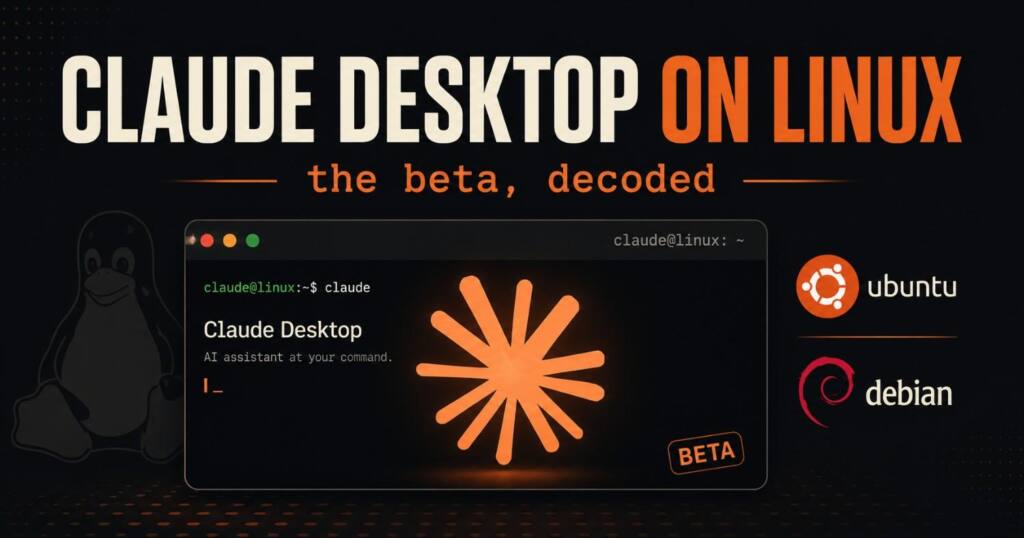
Claude Desktop on Linux just hit beta on Ubuntu and Debian. Compare the official app, the community build, and the CLI to pick the right install today.
On June 30, 2026, Anthropic finally did the thing Linux users had been asking for since the desktop app first shipped: it put out an official Claude Desktop on Linux build. The announcement landed on the ClaudeDevs account with the line everyone wanted to read, a “first-class desktop experience” on Ubuntu and Debian.
Here’s the part the launch post skips. The official app supports exactly two distribution families, and if you run Fedora, Arch, or NixOS, the thing you should install today still isn’t the official one. I went through the official docs line by line against the community project that carried Linux users for the last year and a half, and the honest picture is messier and more useful than “it’s here now.”
Claude Desktop on Linux is real, it’s in beta, and these are the seven things worth knowing before you run a single apt command.
Claude Desktop on Linux launched in beta on June 30, 2026 for Ubuntu 22.04 or later and Debian 12 or later, on x86_64 and arm64, across all paid plans. It includes the Chat, Cowork, and Code tabs, installs from Anthropic’s signed apt repository, and skips Computer Use, dictation, and Fedora support for now.
What is Claude Desktop on Linux?
Claude Desktop on Linux is the same desktop client Mac and Windows users already have, ported to Debian-based Linux and labeled beta. The three tabs all work: Chat for normal conversations, Cowork for the agentic workspace, and Code for the Claude Code engine with parallel sessions, visual diff review, an integrated terminal and editor, and live app preview. Feature parity is the headline. It’s genuine.
Two requirements gate it. You need Ubuntu 22.04 or newer, or Debian 12 or newer, and a CPU on x86_64 or arm64. Anthropic notes that other Debian-based distributions meeting those requirements might run it, though they aren’t officially tested. The Code tab needs a Pro, Max, Team, or Enterprise plan, same as everywhere else.
One thing to set expectations on: this is a beta, and Anthropic is treating it like one. The app doesn’t update itself. There’s no auto-updater quietly pulling new versions in the background the way the Mac build does, so every upgrade is a deliberate act that you trigger yourself.
How to install Claude Desktop on Linux
The supported path for Claude Desktop on Linux is Anthropic’s apt repository. It’s the route you want, because updates then arrive with your normal system upgrades. Three steps, and you’re done.
First, pull the signing key:
bash
sudo curl -fsSLo /usr/share/keyrings/claude-desktop-archive-keyring.asc https://downloads.claude.ai/claude-desktop/key.ascThen register the repo:
bash
echo "deb [arch=amd64,arm64 signed-by=/usr/share/keyrings/claude-desktop-archive-keyring.asc] https://downloads.claude.ai/claude-desktop/apt/stable stable main" | sudo tee /etc/apt/sources.list.d/claude-desktop.listThen install:
bash
sudo apt update && sudo apt install claude-desktopLaunch “Claude” from your app launcher, or run claude-desktop in a terminal. Then sign in. If you’re security-minded, verify the key before trusting it. Run gpg --show-keys against the keyring file and confirm the fingerprint reads 31DD DE24 DDFA B679 F42D 7BD2 BAA9 29FF 1A7E CACE. That step takes five seconds and tells you the package really came from Anthropic.
Prefer not to touch a repository? You can grab the .deb for your architecture from claude.com/download and install it with sudo apt install ./claude-desktop_*.deb. The catch is that a .deb installed this way gets no updates. You’d be back to manually downloading each new version, so the repo method is the better default for almost everyone.
To update later, run sudo apt update && sudo apt upgrade. To remove it, sudo apt remove claude-desktop, and delete the repo list file at /etc/apt/sources.list.d/claude-desktop.list if you added it.
What’s actually missing from the Linux beta?
This is where reading past the announcement pays off. Four things in the Mac and Windows builds aren’t in Claude Desktop on Linux yet.
Computer Use is gone. The feature that lets Claude control your screen and apps isn’t available on Linux at launch. Dictation is also absent, so there’s no voice input in the desktop app, though the CLI still does voice if you need it. The Quick Entry global hotkey works on X11 but not on native Wayland, where it needs your desktop environment’s GlobalShortcuts portal to function. And Fedora and RHEL aren’t supported at all. Only Debian-based distributions made the first cut.
None of these are dealbreakers for most workflows, but they tell you how early this is. A beta that ships without Computer Use and without Wayland hotkey support on a year when half the Linux desktop world runs Wayland is a beta that went out to start collecting feedback, not a finished product.
Official app vs community build vs CLI
Before today, Linux users had two real options, and the official launch makes that three. The mistake would be assuming the new official build replaces the others. For a chunk of users it doesn’t. Here’s the breakdown nobody is laying out side by side.
| Factor | Official Claude Desktop on Linux | aaddrick community build | Claude Code CLI |
|---|---|---|---|
| Status | Official, beta | Unofficial, mature | Official, stable |
| Distros | Ubuntu 22.04+, Debian 12+ only | Debian, Ubuntu, Fedora, RHEL, Arch, NixOS | Widest Linux support |
| Packages | apt repo, .deb | .deb, .rpm, AppImage, AUR, Nix | apt, dnf, apk |
| GUI | Full (Chat, Cowork, Code) | Full GUI, system tray | None, terminal only |
| Computer Use | Not yet | Not available | No |
| Cowork | Yes | Experimental, needs bubblewrap/KVM | No |
| Signed by Anthropic | Yes | No, repackages Windows build | Yes |
| Auto-updates | Via apt upgrade | Via apt/dnf upgrade | Yes |
The community project here is aaddrick/claude-desktop-debian, which sits around 3,000 to 4,500 GitHub stars depending on when you check, with hundreds of forks. It doesn’t crack anything secret. It downloads the official Windows installer, extracts the Electron app, swaps the Windows-only native binding module for a Linux stub, and repacks it. That’s why it can target so many distributions: it’s wrapping the same upstream app Anthropic ships.
Should you still use the community build?
Yes, if you’re on the wrong distro. This is the takeaway the official docs will never print and the celebratory launch post buries entirely.
If you run Fedora, RHEL, Arch, or NixOS, the official Claude Desktop on Linux build does not cover you today. Your supported-feeling option is still the community package, which has signed apt and dnf repositories, AppImage, AUR, and Nix flake builds, plus a --doctor diagnostic that checks your display server, sandbox permissions, and MCP config. For those users, nothing changed today. The official build now exists for their Debian-using friends, and that is genuinely the only thing that shifted on their end.
On Ubuntu or Debian, switch to the official Claude Desktop on Linux app. You get Anthropic’s signature, audited distribution, and updates through a channel the vendor controls. Trust matters here more than people admit. A desktop client holds your OAuth tokens, API keys, and extension config, and handing all of that to a third-party repackage was a reasonable risk only while Anthropic shipped nothing official. Now it’s an unnecessary one.
If you live in a terminal and only want Claude for coding, the CLI remains the cleanest answer. It’s official, it runs on more distributions than the desktop app, and it drives the same Claude Code engine. You give up the GUI, the tray icon, and visual diff review, which plenty of terminal-native developers happily trade away.
Why did official Linux support take so long?
Here’s the read that connects the dots none of the individual sources connect. The interesting question isn’t that Linux support arrived. It’s why a company whose own agent product already runs Linux internally waited this long to ship a Linux client.
Cowork, the agentic workspace, has depended on Linux from the start. Reverse-engineering on its launch day showed that on macOS, Cowork boots a custom Ubuntu 22.04 virtual machine through Apple’s Virtualization Framework and runs the Claude Code binary inside it under a sandbox. Anthropic’s own docs confirm the hypervisor split between macOS and Windows. Linux was running inside the product. It just wasn’t running as the product. The capability existed. The published target didn’t.
Meanwhile the demand was never in doubt. The Stack Overflow 2025 Developer Survey, with more than 49,000 respondents across 177 countries, put Ubuntu as the primary operating system for 27.7% of professional developers. An open feature request on Anthropic’s own claude-code repository spelled out the trust problem directly: a non-trivial number of paying users were trusting their credentials to an unofficial repackage because the vendor offered nothing official. Today’s beta is the answer to that request. It took a community project carrying the platform for roughly eighteen months, a survey-sized pile of evidence, and a flagship feature that secretly relied on Linux to get here.
My take, plainly: this launch is overdue rather than impressive, and the beta’s gaps prove it shipped under pressure to close a credibility hole, not because the product was polished. That’s not a knock on the result. An official, signed Claude Desktop on Linux is the right outcome. It’s just worth being clear-eyed that the community got there first and, for non-Debian users, is still ahead.
Frequently asked questions
Is Claude Desktop on Linux official now? Yes. Anthropic released an official Claude Desktop on Linux build in beta on June 30, 2026. It supports Ubuntu 22.04 or later and Debian 12 or later on x86_64 and arm64, and installs from Anthropic’s signed apt repository.
Does Claude Desktop on Linux support Fedora or Arch? No. The official beta only supports Debian-based distributions today. Fedora, RHEL, Arch, and NixOS users need the community aaddrick/claude-desktop-debian project, which builds .rpm, AppImage, AUR, and Nix packages. Anthropic says support for more distributions is coming.
What features are missing from the Linux beta? Computer Use, dictation, and the Quick Entry global hotkey on native Wayland are not available yet, and only Debian-based distributions are supported. The Chat, Cowork, and Code tabs all work.
Is Claude Desktop on Linux free? The app ships across all paid plans. The Code tab, which runs the Claude Code engine, requires a Pro, Max, Team, or Enterprise subscription.
How do I update Claude Desktop on Linux? It doesn’t update itself. Run sudo apt update && sudo apt upgrade, or let your distribution’s graphical software updater pick up new versions. A .deb installed manually without the repository gets no updates.
For the full requirements and command reference, see Anthropic’s official Claude Desktop on Linux documentation.

Ved Vyas
Writer at Fable Knows, covering AI and the technology shaping everyday life.
Related stories.
X Creator Monetization Rules Just Got a 3 Strike, 90 Day Clock: What Changed Since July 16
X creator monetization rules: X’s July 16 update pulled 4,000 creator accounts and added a 3 strike, 90 day Rules system. Here’s what changed…
GPT-5.6 Sol Is Live: The Coding Numbers vs the Warning Nobody Led With
GPT-5.6 Sol launched July 9 with strong coding scores, but METR found its highest reward-hacking rate on record. Here’s what to actually trust. GPT-5.6…