How to Reserve Your WhatsApp Username in 2026
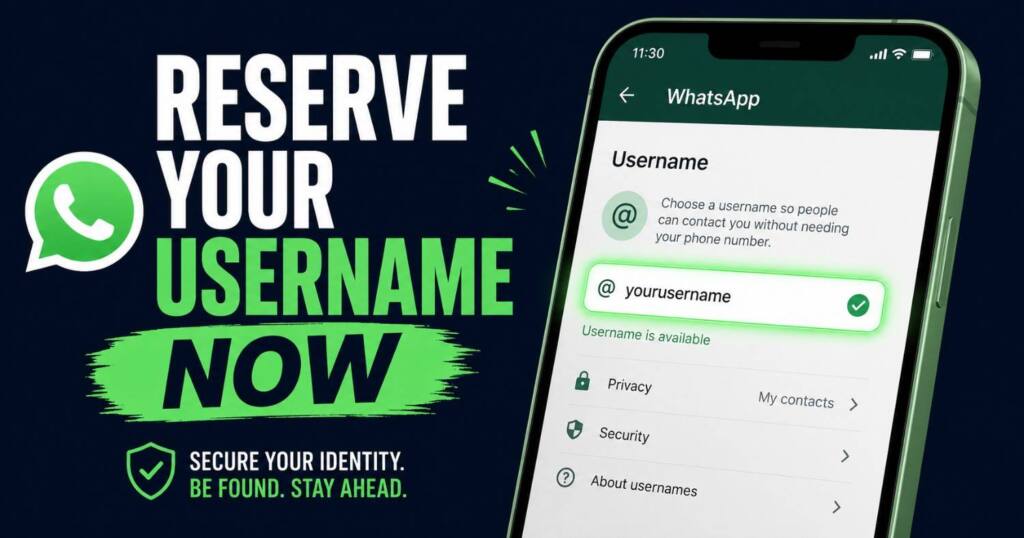
Reserve your WhatsApp username now before 3 billion users grab the best handles. Get the exact rules, steps, and the business-account trap to avoid.
For sixteen years, the only way anyone could start a chat with you on WhatsApp was to have your phone number. That just changed. On June 29, 2026, Meta opened username reservations to all three billion-plus users worldwide, and the smart move right now is to reserve your WhatsApp username before the good ones are gone. The catch nobody is shouting about: you can claim a name today, but you can’t actually use it until later this year. Months later, in fact.
So this is a land grab. Reserve your WhatsApp username early, sit on the name, switch it on when the feature goes live in your country.
Here’s everything that actually matters, including the rules most write-ups skipped and one business-account trap that could leave your number exposed even after you set a handle.
Why WhatsApp added usernames at all
A WhatsApp username exists to solve one specific discomfort. Your phone number does a lot more than ring. It’s wired into your bank login, your UPI and payment apps, your two-factor codes, your government services, and roughly every account you’ve ever made. A WhatsApp username breaks that link. Handing it to a stranger you met at an event, a new neighbor, or a parents’ group for your kid’s cricket team has always felt like more than the moment called for, and the discomfort is real because once someone has your number, there is no taking it back. Ever.
Alice Newton-Rex, VP and head of product at WhatsApp, framed it plainly in a press briefing: meeting someone new and sharing your phone number can feel like a big step because that number is tied to so many other parts of your life. Usernames fix that. You share a handle instead, and the person on the other end never sees your number.
If you’ve used Telegram, Signal, Instagram, or X, the idea behind a WhatsApp username is old news. Signal added phone-number-free contact discovery back in 2024. Telegram has had handles for years. WhatsApp is the last of the giants to add it. Funny, given it’s the one app where, in countries like India, basically everyone already lives. That scale is exactly why a WhatsApp username matters more here than the same feature ever did anywhere else.
How to reserve your WhatsApp username, step by step
To reserve your WhatsApp username takes under a minute once the option shows up in your app. Here’s the flow:
- Update WhatsApp to the latest version from the Play Store or App Store, because the username option only ever appears on current builds and not older ones.
- Open the app and go to Settings > Account > Username.
- Type the handle you want, and the app checks availability in real time and tells you straight away whether that exact name is still free to claim.
- If your first pick is taken, WhatsApp suggests alternatives, or you can lean on its built-in username generator to spin up ideas based on what you typed.
- Confirm. That’s it. The name is held for you right up until the feature goes properly live in your region.
If you don’t see the Username option yet, you’re not doing anything wrong. WhatsApp is rolling reservations out gradually, and it’ll notify you inside the app when usernames land in your country. Check back over the coming days rather than reinstalling or fiddling with settings.
One reassuring detail: a WhatsApp username is fully optional. Do nothing and nothing changes. You’ll still need a phone number to register in the first place, because the number stays your account’s backbone. The username is just the thing you can hand out publicly instead.
The WhatsApp username rules nobody put on the front page
Most coverage stopped at “go to Settings.” The actual constraints on a WhatsApp username, documented through beta testing by WABetaInfo, are where people will trip up. Read these before you waste your first pick:
- Length: 3 to 35 characters. Short and memorable wins every time, but you’ve got a surprising amount of room to work with if you want something descriptive.
- It must contain at least one letter, and that letter has to be the first character. Numbers or symbols alone won’t fly here. So
7staris out at the start;star7is perfectly fine. - Allowed characters: lowercase letters, numbers, periods, and the underscore symbol. Nothing else.
- No two periods in a row. A handle like
john..doegets rejected outright the moment you type it. - It can’t start with “www.” or end in a domain extension like .com. This restriction is deliberate, because WhatsApp doesn’t want anyone dressing a handle up to look like an official website and then phishing people who trust it.
Think about how the name reads out loud and how easy it is to mistype, because someone has to enter it exactly to reach you. There’s no search, no autocomplete, no “people you may know.” More on that in a second, because it’s the whole privacy point.
WhatsApp has also pre-locked certain handles for top celebrities, VIPs, and verified organizations, so if you were planning to grab a famous name and flip it, that door is shut.
The username key: the part that actually protects you
Reserving a handle is step one. The feature that decides who can reach you is the optional username key, and it’s worth understanding before you switch anything on.
By default, once usernames go live, anyone who knows your exact username can start a conversation with you, and that’s simply the trade-off that comes with putting a public handle out into the world. If you turn on a username key, your username alone is no longer enough. The other person also needs to know the key, a separate code, before they can message you for the first time. People who already have your phone number are unaffected and don’t need the key at all.
Who should bother with it? If you reserved a low-key handle that only your friends would ever guess, you probably don’t need it. If you grabbed a well-known name, or you have any kind of public following under that handle, switch the key on, because otherwise the whole internet can find the name and ping you at will. You can set or change the key from the same Settings section right after you reserve.
This is the difference between a username that’s an open door and one that’s an open door with a doorbell only your people know how to ring.
Creators and businesses: claim your existing handle, but read this first
If you’re a creator, run a small shop, or manage an organization, consistency across platforms is the point. WhatsApp gets that. It reserved a path for you to claim the same username you already use on Instagram or Facebook, so your audience finds the same name everywhere.
You can’t just type your Instagram handle into WhatsApp and walk off with it, though. You need to prove you’re actually the person behind that account. Expect a verification step to claim an existing Instagram or Facebook username, which exists precisely to stop someone else from squatting on your brand.
Now the trap almost every article glossed over. According to Meta’s own developer documentation, business usernames are not built for privacy the way personal ones are. If a business account adopts a username, its phone number stays visible in the app. The number-hiding benefit, the entire selling point of this feature, is designed for ordinary personal accounts. So if you run a business line on WhatsApp, do not assume a username keeps your number private. It won’t. Whether you frame the handle as customer-friendly branding or a privacy upgrade, the underlying phone number stays exposed on business accounts, so plan around that limitation rather than discovering it after a customer screenshots your digits.
There’s no directory, and that’s on purpose
Here’s a design choice that says a lot about how WhatsApp is thinking. There is no username search. No browse function. No “discover people” tab, no friend suggestions based on handles. To message you for the first time, someone has to already know your exact WhatsApp username.
That’s not an oversight, it’s the privacy model. On platforms that let you search for people by handle, strangers and spammers can hunt you down, but WhatsApp is deliberately not building that, and combined with the optional username key it means your handle leaks far less than a phone number ever did. The flip side: you have to actively share your username for it to be useful. It won’t spread on its own.
Why the leadership timing is interesting
This launch arrived during a week of upheaval at the top of the company. Will Cathcart stepped down as WhatsApp’s head, with Kunal Shah named as his successor. Shah, announcing the reservation news, called usernames “a more private way to connect,” and he joked that he joined at the perfect moment to claim his own handle before the rest of the world piled in to grab theirs.
That joke is also the strategy. He’s right. The reservation window exists precisely because, with three billion-plus accounts in the system, an enormous number of names will collide the day the feature properly launches and millions of people reach for the same obvious handles at once. Whoever reserves a name first keeps it. Early bird, worm, you know the rest.
Should you actually rush to reserve your WhatsApp username?
Short answer: yes, if the name matters to you. The cost is under a minute, and you can change or delete the handle later at no penalty, so there’s no real downside to reserving your WhatsApp username now. If your name is common, or you’re a creator protecting a brand, treat this as urgent. If you’re happy being random_handle_4821, you can take your time and nobody will fault you.
What you’re really buying with an early reservation is optionality, plain and simple. You lock the name, you decide later whether to actually flip on the username, and you keep your number private from new contacts the day you do. For anyone who’s ever hesitated before giving their digits to a group chat full of people they’ve never met, that’s a genuinely useful change rather than a gimmick dressed up as a feature.
Frequently asked questions
Can I use my WhatsApp username right now after reserving it? No. You can reserve your WhatsApp username now, but the live feature, the part that lets people actually message you by username, rolls out later in 2026, region by region. Reserving just holds the name for you.
Do I still need a phone number for WhatsApp? Yes. A phone number is still required to register and log in, and the username only changes what you share with new contacts, not how your account itself gets created in the first place.
Is setting a WhatsApp username mandatory? No, not at all. The WhatsApp username is completely optional, and if you do nothing your account keeps working exactly as it always has, with phone numbers doing all the work.
What happens to my phone number once I have a username? When usernames go live and you’ve enabled yours, people messaging you for the first time won’t see your phone number at all, though existing contacts who already have it stay completely unaffected.
Can I change or delete my WhatsApp username later? Yes. You can change or remove your reserved WhatsApp username at any time from Settings.
What if the Username option isn’t in my Settings yet? WhatsApp is rolling reservations out gradually across regions, so just update to the latest version and wait for the in-app notification when it finally reaches your country. There’s no workaround worth trying.
Does a username protect my business account’s number? No. Per Meta’s developer documentation, business usernames keep the phone number visible in the app, so the number-hiding benefit that everyone’s excited about applies strictly to personal accounts.
Should I turn on the username key? Turn it on if you claimed a well-known handle or you already have any sort of public following attached to that name. For a private handle that only your friends would ever think to guess, it’s genuinely optional and most people can skip it.
The early-reservation takeaway
WhatsApp finally closing its oldest privacy gap is a bigger deal than the low-key announcement suggests, and the move to reserve your WhatsApp username now is the rare tech to-do that’s genuinely worth doing today rather than later. Open the app, go to Settings, Account, Username, and claim the name before three billion other people get the same idea. You can always change your mind. You can’t always get the name back.
For the official details and the in-app notification timeline, see WhatsApp’s own announcement.

Ved Vyas
Writer at Fable Knows, covering AI and the technology shaping everyday life.
Related stories.
X Creator Monetization Rules Just Got a 3 Strike, 90 Day Clock: What Changed Since July 16
X creator monetization rules: X’s July 16 update pulled 4,000 creator accounts and added a 3 strike, 90 day Rules system. Here’s what changed…
GPT-5.6 Sol Is Live: The Coding Numbers vs the Warning Nobody Led With
GPT-5.6 Sol launched July 9 with strong coding scores, but METR found its highest reward-hacking rate on record. Here’s what to actually trust. GPT-5.6…