Song Styles for Suno 2026: The Custom Models Update
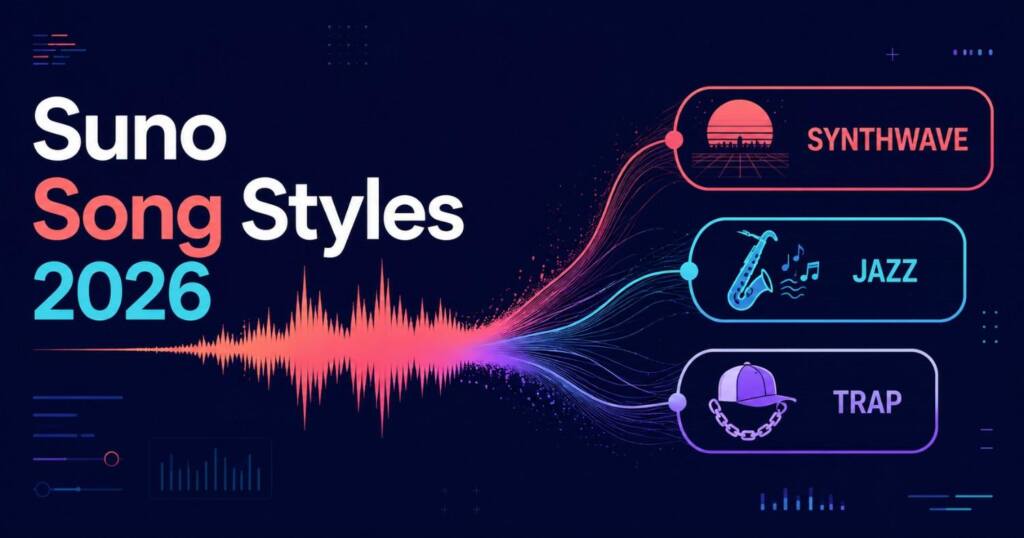
Song Styles for Suno for the v5.5 Custom Models era: genre, mood, vocal tags, and why most artist-equivalent lists just repeat each other.
Stop wasting your Suno credits on unpredictable outputs and start generating exactly what you want on the first try. I just launched the Suno AI Prompts Vault , featuring 10,000 prompts.
Suno shipped v5.5 on March 25, 2026. Alongside better vocals, it added Custom Models, a feature that trains a personalized version of v5.5 on six or more of your own uploaded tracks. Almost every genre and style guide published since still treats prompting like it’s a single, static system. It isn’t anymore. Once you train a Custom Model, your style tags stop talking to a generic model and start talking to one that already knows your sound, and that changes which tags actually do anything.
Here’s the fast answer, then the full reference below it.
Direct answer: A Suno prompt works best as Genre, then Mood, then Instrument, then Vocal Style, then Era, then BPM, five to eight tags total. Genre goes first because it’s the load-bearing tag; everything after it gets biased by whatever genre you set. That rule hasn’t changed with v5.5. What has changed is that if you’re running a Custom Model, over-specifying genre can fight the model’s trained taste instead of guiding it. More on that below.
Why Most Suno Style Guides Read the Same
If you’ve compared a few “complete Suno style list” articles, you’ve probably noticed the artist-to-tag mappings repeat across sites almost verbatim. Fleetwood Mac keeps showing up as “classic rock, mellow harmonies, emotional, 70s vibe” on more than one site. AC/DC keeps showing up as “hard rock, crunchy guitar riffs, raspy male vocals, driving rhythm,” word for word. That’s not plagiarism in the legal sense, artist-to-genre mapping is closer to a shared vocabulary than original prose, but it does mean that section of the internet has been thoroughly mined. A tenth version of the same 150 artists adds nothing.
So this guide skips re-running that list. If you want the full 300-plus artist-equivalent breakdown, it already exists and it’s kept current for v5.5. What follows here is the part nobody’s built yet: genre and mood tags organized for actual use, the official Suno music-theory vocabulary merged into a genre list for the first time, and what Custom Models changes about all of it.
Genre Tags, Organized by Sound Family
Suno’s genre space now runs past 500 recognized styles. Trying to memorize all of them is pointless. What matters is knowing the families and grabbing two or three tags per family to stack.
Electronic & Dance: synthwave, darksynth, future bass, tech house, drum and bass, UK garage, ambient techno, glitch hop, phonk, hyperpop, Jersey club, footwork
Rock & Metal: post-punk, shoegaze, math rock, doom metal, black metal, post-rock, krautrock, noise rock, psychedelic rock
Hip-Hop & Trap: trap, drill, boom bap, cloud rap, phonk trap, mumble rap
Jazz & Blues: cool jazz, bebop, modal jazz, bossa nova, jazz fusion, free jazz, big band swing
Folk & World: Celtic folk, Americana, Bollywood, filmi, Bhangra, Carnatic classical, flamenco, Afrobeat, reggaeton, Persian classical
Classical & Orchestral: neoclassical, chamber music, cinematic score, minimalist classical, baroque
Experimental: musique concrète, dungeon synth, harsh noise, sound collage
Layer one from a sound family with a mood tag and an instrument tag before you touch anything else. Genre alone gets you a generic version of that genre. Genre plus two supporting tags gets you a specific one.
The Descriptor Layer Nobody Borrows From Suno’s Own Docs
Suno maintains an official music glossary that almost no style-list article touches, because it reads like a theory textbook, not a prompt sheet. That’s a mistake. Terms like these slot directly into a prompt and do work that generic mood words can’t:
- Rubato – tempo that stretches and compresses expressively, useful for emotional ballads where a fixed BPM feels stiff.
- Ostinato – a repeated musical phrase, the tag to reach for when you want a hypnotic, looping backbone.
- Syncopation – rhythmic emphasis on off-beats, the single word that turns a flat groove into a funk or reggae feel.
- Modal – add before a genre (“modal jazz”) to shift the harmony away from standard major and minor scales.
- Pedal point – a sustained bass note under changing harmony, common in cinematic and drone-adjacent tracks.
These aren’t replacements for genre or mood tags. They’re a third layer that most prompts never touch, which is exactly why they tend to produce output that sounds less like everyone else’s.
Mood and Production Tags
Skip “happy” and “sad.” They’re too broad for Suno to act on precisely. These carry more signal:
Melancholic, euphoric, brooding, cinematic, hypnotic, wistful, cathartic, ominous, triumphant, meditative, gritty, anthemic
For production texture: analog warmth, tape saturation, bedroom production, lo-fi hiss, gated reverb, sub-bass weight, close-mic intimacy.
BPM by Feel, Cross-Referenced With Tempo Names
Most guides give you a BPM table or the classical tempo names, never both. Combining them means you can drop either into a prompt and get the same result.
| Feel | Classical name | BPM | Genres it suits |
|---|---|---|---|
| Very slow | Adagio | 66–76 | Ambient, dark ambient, meditation |
| Walking pace | Andante | 76–108 | Folk, singer-songwriter, indie |
| Upbeat | Allegro | 120–168 | Pop, funk, house, reggaeton |
| Very fast | Presto | 168–200 | Metal, drum and bass, hardstyle |
If a straight BPM number gives you inconsistent results, try the classical term instead. Suno’s model was trained on descriptions that use both systems, and occasionally one lands more precisely than the other for a given genre.
What Custom Models Change About Style Tagging
This is the part no genre list published before March 2026 could cover, because the feature didn’t exist yet. Custom Models train on six or more of your own uploaded tracks and build a version of v5.5 that leans toward your established sound.
Two practical effects follow. First, once a Custom Model is trained, an aggressive genre tag can pull output away from your trained sound rather than refining it, since the model already has a strong prior. Drop to two or three light tags (a mood word and an instrument, skip a hard genre override) and let the trained model do more of the work. Second, Voices, the companion feature that captures your own vocal timbre, responds better to vocal-character tags (raspy, breathy, close-mic) than to vocal-technique tags (melismatic, vibrato), since it’s matching texture more than performance style. If your generations sound like a diluted version of your own voice, that’s usually the fix.
Neither official Suno documentation nor any of the current style-list guides addresses this interaction yet. It’s the actual reason this list needed to exist alongside, not instead of, the older ones.
Common Prompt Problems, Ranked by How Often They Show Up
- Output sounds like everyone else’s version of the genre. Fewer than five tags. Add a mood tag and a production tag.
- Custom Model output sounds diluted. Too many competing genre tags fighting the trained prior. Cut back to two or three.
- Vocals switch gender mid-generation. State it explicitly: “male vocals” or “female vocals,” not implied by artist reference.
- Chorus melody falls flat. Chorus lines running past four bars dilute the hook. Cut to two or three.
- Tags contradict each other. “Lo-fi” and “loud drum” cancel out. Pick one texture per prompt.
FAQ
What’s the correct order for Suno style tags?
Genre first, then mood, instrument, vocal style, era, and BPM. Genre biases everything that follows it, so it belongs at position one.
Does Suno v5.5 support classical tempo names like Andante or Presto?
Yes. They function the same way a BPM number does and occasionally produce more consistent results for genres where a straight number gives mixed output.
Do Custom Models replace the need for style tags?
No. They shift how much weight tags carry. A trained model already has a strong stylistic prior, so lighter tagging usually produces more consistent results than the same aggressive tagging you’d use on the base model.
If style tags alone aren’t landing the sound you want, the gap is usually in the lyrics box, not the style box, section tags and vocal cues placed inline do work no style prompt can.

Ved Vyas
Writer at Fable Knows, covering AI and the technology shaping everyday life.
Related stories.
Suno Style Prompts After v5.5: The 1,000 Character Budget Nobody Teaches
Suno style prompts changed with v5.5. Get the version limit table, the 1,000 character budget formula, and 20 copy-paste prompts built for 2026. Stop…
Caveman Skill for Claude: I Measured the Token Savings, and 75% Is Actually Conservative
Install the caveman skill and cut Claude token usage up to 85%. My measured test of all six modes, two-minute setup, and where the…