Android 17 Is Here: Every New Feature, Which Phones Get It, and the AI Catch Nobody Mentions
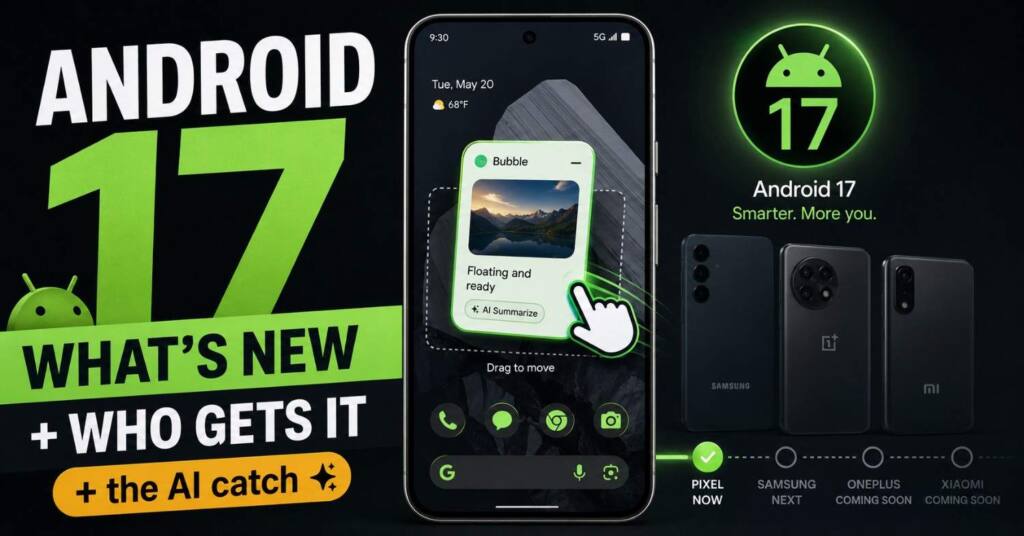
Google just shipped Android 17 to Pixel. Here is what actually changed, who gets it first, and why the headline AI features are not coming to most phones.
Google started rolling out Android 17 to Pixel phones on June 16, 2026, and if you have been waiting since the betas, the stable build is finally hitting devices through Settings. The update lands alongside the June Pixel Drop and the Wear OS 7 push to Pixel Watches, so a lot dropped on the same day.
Most of the coverage you have read so far is a flat list of features. Bubbles, screen recording, gaming mode, done. That list is fine, but it skips the two questions that actually matter to you: will your specific phone get this update, and will it get the AI features Google keeps putting in the marketing. The answer to that second one is messier than anyone is letting on, and it is the part worth reading to the end for.
Let me walk through what shipped, what each feature actually does in daily use, the full eligibility picture, and the catch with Gemini Intelligence.
The Headline Feature: Bubbles for Real Multitasking
The biggest day-to-day change is Bubbles. Google took the floating chat-head idea that used to be locked to messaging apps and opened it up to everything. Long-press any app icon, tap the new button in the top-left, and that app turns into a floating window you can drag around the screen and pull down to dismiss.
It sounds small until you actually use it. You are following a recipe and want your timer floating over the browser. You are watching a match score while replying to email. You are checking a map without leaving your chat. On phones it is a handy convenience. On foldables and tablets it becomes something closer to real desktop-style multitasking, because large-screen devices get a dedicated Bubble Bar docked at the bottom where your floating apps live, and you can tap to switch, resize, or blow one up to full screen in a single motion.
This is the feature you will notice within an hour of updating, and it is the one most likely to change how you use your phone.
Screen Reactions and the New Recorder
Screen recording got a full redesign. The recorder you pull from Quick Settings now lives in a floating pill interface instead of the old clunky flow. Start a recording, tap the status bar indicator to bring the pill back, adjust settings or stop, and you land on a clean full-screen preview where you can edit, delete, or share right away.
Sitting on top of that is Screen Reactions, aimed squarely at creators. It gives you a green-screen overlay so you can record your selfie camera and your phone screen at the same time, no third-party app and no green screen of your own required. If you make tutorials, react to trending videos, or send walkthroughs to less technical relatives, this collapses a multi-app workflow into a few taps.
Foldable Gaming Mode
If you own a foldable, Android 17 finally treats your screen like the asset it is. Foldable gaming mode splits the display into an optimized 50/50 layout, with the game view up top and a dynamic on-screen gamepad below. The unfolded screen stops being wasted space and becomes a proper controller setup. If you plug in an external controller, native controller remapping lets you rebind buttons to taste.
Google also did quiet work under the hood here. Memory cleanup is more efficient now, which means fewer frame drops and stutters during high-definition gaming. Foldable gaming mode is switched on in Android 17 but rolls out fully over the coming months, so do not panic if you do not see it the second you update.
Security and Privacy: The Underrated Wins
This is the section most feature lists rush through, and it is the one that protects you when things go wrong.
The standout is the upgraded “Mark as lost” in Find Hub. When you flag a phone as lost, you can now require biometrics to unlock it. The practical effect is big: even if a thief somehow has your PIN, they cannot get into your data or turn off tracking without your face or fingerprint. That closes a gap that has burned people for years.
Location handling got more granular too. The runtime location permission now gives you explicit “Precise” and “Approximate” checkboxes, plus a one-time precise location button so an app can get your exact spot once without keeping the keys. You can also share specific contacts with an app instead of handing over your entire address book, which is the kind of thing you never think about until you realize how much an app was quietly reading.
On the anti-intruder side, Google reduced how many times someone can guess your PIN and stretched the wait between failed attempts, so brute-forcing a lock screen gets a lot harder. Live Threat Detection blocks more scam and suspicious apps, and Advanced Protection mode got beefed up for people facing sophisticated targeting.
The Smaller Changes That Add Up
Plenty of quieter tweaks landed that you will appreciate over time.
You can now hide app names on your home screen through Wallpaper & style, Icons, then “Show app names,” for a cleaner grid. Quick Settings finally splits Wi-Fi and Mobile data into separate toggles instead of the combined Internet tile, and supported devices get a new Satellite tile that jumps to satellite connectivity settings. The camera, location, and microphone privacy indicators got a narrower redesign with circular containers so you can tell at a glance what is active.
The Settings app reorganized too. “Accounts and backup” is now a single combined menu, individual preferences sit in tighter cards, there is a new Assistant volume slider under Sound & vibration, and you get control over which apps use the Expanded dark theme. The “No notifications” message became “You’re all caught up” with a little trophy icon borrowed from Pixel Watch. And for the first time in three generations, there is a fresh Easter egg: head to Settings, About phone, Android version, and tap the “17” repeatedly to connect all the dots.
Under the hood, the most consequential change is app memory limits. Android 17 caps how much RAM any single app can hog, which Google says improves overall performance and helps battery life. On paper it is dry. In practice it is the reason your phone should feel a little smoother and last a little longer after the update.
Wear OS 7 Landed on the Same Day
If you own a Pixel Watch, the update did not stop at your phone. Google pushed Wear OS 7 to the Pixel Watch 2, Pixel Watch 3, and Pixel Watch 4 on the same day, build CP2A.260603.001, and it brings a few things worth flagging.
The headline is Live Updates on the watch face: real-time glanceable info like sports scores, delivery tracking, and live workout stats, right where you can see them without opening an app. Cross-device controls got better too, so managing connected headphones, speakers, smart TVs, and AI glasses from your wrist is smoother. The quiet winner is battery, with Google claiming up to 10 percent better life compared to Wear OS 6. As with the phones, Gemini Intelligence on the watch is held back for later this summer rather than shipping today.
What About the AI? The Catch Nobody Highlights
Here is the part the feature lists skip, and it is the most important thing in this whole article.
Android 17 shipped without Gemini Intelligence. The proactive, agentic AI that Google demoed, the multi-step app automation and Auto Browse in Chrome, is not in this build. Google says those features roll out to supported Pixel devices later this summer, not today.
And “supported” is doing heavy lifting in that sentence. Gemini Intelligence has a hard hardware floor: roughly 12GB of RAM and a current Gemini Nano version. That means even after the summer rollout, the headline AI features will skip the Pixel 6, 7, 8, and 9a series, the Pixel 10a, and most mid-range phones from other brands. If you bought a Pixel specifically expecting the proactive AI assistant, check your RAM before you get attached to the idea.
What you do get on Pixels right now, through the Gemini app rather than the OS itself, is genuinely useful. Gemini Omni can generate video, letting you start from scratch, remix photos and clips from your camera roll, use a template, or build a custom AI avatar. There is also music generation, where you describe a track or feed it images and it produces original music with lyrics. India got a specific win here too: Manual Call Screen is now available, letting you screen unknown callers before you ever pick up.
More is queued for later this year, including Create My Widget, Intelligent Autofill, Rambler in Gboard, and some Android-exclusive Instagram features. So the AI story for Android 17 is real, but it is staggered, and a big slice of it depends on hardware you may not have.
Which Pixel Phones Get Android 17
Android 17 is rolling out now to a wide list of Pixels: the Pixel 6, 6 Pro, and 6a, the Pixel 7, 7 Pro, and 7a, the Pixel Tablet, the original Pixel Fold, the Pixel 8, 8 Pro, and 8a, the Pixel 9, 9 Pro, 9 Pro XL, 9 Pro Fold, and 9a, and the full Pixel 10 line including the 10, 10 Pro, 10 Pro XL, 10 Pro Fold, and 10a.
Worth knowing: the Pixel 6 series is reaching the end of the road. It gets Android 17, but support runs out around October 2026, so it will not receive the later QPR updates expected in December. If you are on a Pixel 6, this is close to your last major version.
When Do Other Phones Get It? The OEM Timeline
If you do not own a Pixel, this is where the real waiting begins, because Google ships to its own phones first and everyone else follows on their own schedule.
The Samsung Galaxy S26 already runs Android 17 out of the box, so for that phone it is a feature toggle rather than an OS jump. One UI 9 for older Galaxy phones is expected to start in Q3 2026, likely arriving around the time Samsung launches its next foldables in late July. Galaxy flagships from the S23 onward should get it, with mid-range A-series devices following later.
OnePlus is targeting a stable OxygenOS 17 in early Q4 2026, kicking off with the OnePlus 15 and reaching the OnePlus 11 and newer. Xiaomi will fold Android 17 into HyperOS 4, with Chinese versions landing roughly November to December 2026 and global builds slipping into early 2027 across Xiaomi, Redmi, and Poco. Google also opened the beta to nine hardware partners this cycle, including OnePlus, Xiaomi, Vivo, Oppo, Honor, iQOO, Lenovo, and Realme, several of which matter a lot in India.
The short version: Pixel now, Samsung flagships in the autumn, most other brands late 2026 into 2027. If your brand has not even opened a beta for your phone tier by Q3, your update is at risk of being deprioritized, though you will keep getting security patches for the rest of your support window.
How to Update to Android 17
If you are on an eligible Pixel and the update has not shown up on its own, you can pull it manually. Open Settings, tap System, then System update, and hit “Check for update.” If the over-the-air update is ready, it will download from there. Google rolls these out in phases, so if nothing appears yet, it should land within a few days.
Two notes. If you were running Android 17 Beta 4.1, you only get a small update to reach the stable release. And if you are on an earlier beta and want to leave the beta track, you have to opt out first, but your device will not be wiped when the stable OTA arrives.
Frequently Asked Questions
When did Android 17 come out? Google began rolling out the stable version to Pixel phones on June 16, 2026, alongside the June Pixel Drop and Wear OS 7 for Pixel Watches. The rollout to non-Pixel phones continues throughout 2026 and into 2027 depending on the manufacturer.
Is my phone eligible for Android 17? On the Pixel side, every phone from the Pixel 6 series onward is supported, up through the Pixel 10 line and the Pixel Tablet. For other brands, the Samsung Galaxy S26 ships with it already, Galaxy S23 and newer get it via One UI 9 starting around Q3 2026, OnePlus 11 and newer arrive on OxygenOS 17 from late 2026, and Xiaomi, Redmi, and Poco phones follow through HyperOS 4 into early 2027.
Does Android 17 include the new Gemini AI features? Not at launch. Gemini Intelligence, including multi-step app automation and Auto Browse in Chrome, rolls out to supported Pixels later in summer 2026. Those features also need roughly 12GB of RAM, so they will skip the Pixel 6, 7, 8, 9a, and 10a, along with most mid-range phones. Gemini Omni video and music generation are available now through the Gemini app on Pixels.
How do I update my Pixel to Android 17? Go to Settings, then System, then System update, and tap “Check for update.” The rollout is phased, so it may take a few days to reach your device if it has not arrived automatically.
What is the best new feature in Android 17? For most people it is Bubbles, which turns any app into a floating window for genuine multitasking. The most underrated is the upgraded “Mark as lost” in Find Hub, which uses biometrics to protect a stolen phone even if the thief knows your PIN.
Will Android 17 slow down my older phone? It should do the opposite. The new app memory limits cap how much RAM a single app can use, which Google says improves performance and battery life, so older eligible phones may actually feel a touch smoother after updating.

Ved Vyas
Writer at Fable Knows, covering AI and the technology shaping everyday life.
Related stories.
X Creator Monetization Rules Just Got a 3 Strike, 90 Day Clock: What Changed Since July 16
X creator monetization rules: X’s July 16 update pulled 4,000 creator accounts and added a 3 strike, 90 day Rules system. Here’s what changed…
GPT-5.6 Sol Is Live: The Coding Numbers vs the Warning Nobody Led With
GPT-5.6 Sol launched July 9 with strong coding scores, but METR found its highest reward-hacking rate on record. Here’s what to actually trust. GPT-5.6…