Suno AI Prompts That Actually Work in 2026: 7 Proven Fixes for v5.5
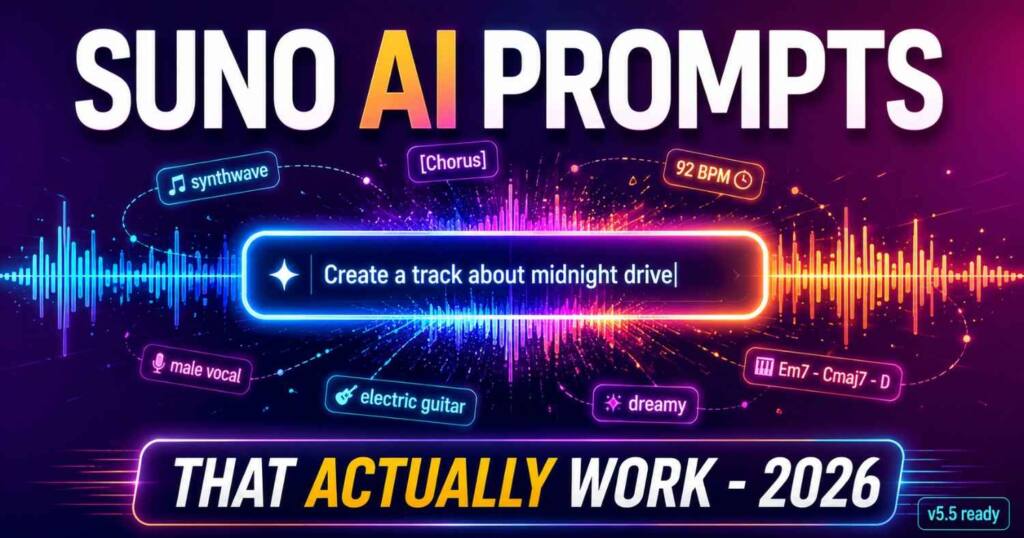
Suno AI prompts that stop generic output in 2026. Get the v5.5 formula, a copy-paste library, and the trick to sound like any artist.
Stop wasting your Suno credits on unpredictable outputs and start generating exactly what you want on the first try. I just launched the Ultimate Suno AI Prompt Pack, featuring a mastery guide and 1,000 battle-tested prompts structured in a developer-ready JSON database. Grab it today to plug these proven formulas directly into your AI music workflow.
You typed “sad piano music” and got something that sounds like the hold music at a dentist’s office. The prompt was not wrong. It was incomplete in one specific way, and that gap is exactly where Suno fills in the most average version of whatever you asked for.
Here is the part nobody tells you. Most “best Suno AI prompts” lists floating around were written for v4, sometimes v3, and they quietly went stale when v5.5 landed in March 2026 and changed how the model reads your input. The formulas still circulating are solving a problem that no longer exists the same way.
This guide fixes that. You get the Suno AI prompts structure that produces repeatable results on the current model, a copy-paste Suno AI prompts library sorted by genre and use case, the trick for sounding like a specific artist without naming them, and the v5.5 personalization layer that recycled guides skip entirely. No filler anywhere, and no email signup walls buried halfway down the middle of the page.
Why your Suno AI prompts keep failing
Suno defaults to the most common interpretation of any vague input. Type “rock song” and it builds around the statistical center of every rock song in its training data. That center is not bad. It is just plain average. And average, predictable and forgettable, is exactly what every beginner prompt quietly produces over and over again.
A vague Suno prompt like “make a sad song” forces the model to invent almost everything: the genre lane, the tempo, the instrumentation, the vocal style, the structure, the mood. When it has to guess that many variables at once, you get a different result every time and most of them miss. That is not prompting. That is dice.
The fix is not longer Suno prompts. It is clearer ones, dropped into the right slots in the right order. And this matters more on v5.5 than it ever did, because the newer model is more expressive and more responsive. Feed it vague input and it hands back something polished but generic. Feed it precise direction and it finally has room to do something good.
The Suno AI prompt formula that works
Strong Suno AI prompts follow one repeatable structure. Think of it as a set of slots you fill, roughly in this order, because order matters in a way I will come back to.
Genre and era anchor. This is the single most important slot, and here is the upgrade most guides miss: era beats genre. “Indie rock” gives Suno a category. “Early 2000s garage rock revival with raw production” gives it a specific sonic period to build from. The model responds to time references far more precisely than to genre names alone. Pick one lane and commit, because stacking five genres on top of each other is the single fastest way to confuse the model into mush.
Tempo and energy. Tell it how the song moves. A specific BPM works (“92 BPM”), and v5.5 lands closer to your target number than older versions did. A feel word works too (“slow and spacious,” “driving,” “mid-tempo groove”). This controls the whole rhythmic character.
Instrumentation. Name the two or three instruments that genuinely define the identity of the sound, like “fingerpicked acoustic guitar, brushed drums, upright bass.” You are not listing everything in the room. You are naming the identity.
Mood and emotion. Give one clear emotional direction. “Melancholic and reflective,” “triumphant,” “tense and cinematic.” Suno actually responds to mood words better than to technical terms like “minor key.” Avoid contradictions like “sad but uplifting, dark yet bright,” which split the model’s attention down the middle.
Vocals and purpose. Specify the vocal style (“warm female vocal, intimate delivery”) and what the track is for, because a background cue behaves nothing like a release single.
Put together, a complete prompt reads like this: melancholic indie-pop, 75 BPM, fingerpicked acoustic guitar with brushed drums and warm synth pads, introspective and spacious, soft male vocal. Each slot kills a guess.
The descriptor sweet spot: 4 to 7, not 12
This is the number that changes how you write prompts, and it comes from people actually testing at volume. An analysis across 150 Reddit threads found the working range is four to seven descriptors. Below four descriptors, your Suno prompts leave gaps that Suno quietly fills you left with its own defaults, and what comes back is the bland average result nobody wants. Above seven, the descriptors start canceling each other out and the output turns muddy. A prompt with four precise words beats a prompt with twelve general ones almost every time.
So ignore any guide that tells you to keep padding your Suno prompts with more genre, more mood, more instruments until the whole thing runs a paragraph long. You are not being thorough. You are diluting. Specificity in the right four to seven slots wins over a pile of vague adjectives.
Watch one Suno prompt climb. Start with “happy song.” The model guesses everything. Add a genre: “happy pop song.” Better. Still generic. Add tempo and instruments: “upbeat pop, mid-tempo, bright synths and clean drums.” Now it has a real sound. Add mood and vocal: “upbeat feel-good pop, mid-tempo, bright synths and punchy drums, warm and optimistic, cheerful female vocal.” That last version sits right in the four-to-seven zone and hits its target far more consistently than the first three.
Front-load your tags: the read-order trick
Here is a detail that is not in any official documentation, because Suno barely documents anything, but it shows up consistently in testing. Suno reads your style field as a weighted tag list, and terms at the front carry more influence than terms at the end.
Put what you care about most first. If the genre is non-negotiable, it leads. If a specific vocal texture is the whole point of the track, push it toward the front rather than burying it last. The model weights whatever it reads early and discounts whatever you leave for last. Most people type Suno prompts in whatever tag order they think of them, which means the most important element often ends up at the back where it gets the least pull. Reorder before you regenerate. It costs nothing.
One more technical note for 2026: the style field holds up to 950 characters. You do not need to fill it, and overstuffing causes its own problems, but you have room to be specific. Use it for clarity, not for cramming.
How to sound like a specific artist (without naming them)
Suno blocks artist names outright. You cannot type “make it sound like Drake” or “in the style of Coldplay” and expect it to work, and even when something slips through, the results are inconsistent and legally murky. But you almost never want the artist. What you actually want is the sound that artist is shorthand for, so the move is to translate the name straight into its real sonic ingredients.
That translation is the entire skill, and once it clicks you stop missing. “Hans Zimmer” is not a usable tag, but “cinematic orchestral, low drone, sparse piano, slow tension building” is exactly what that name means sonically, and it works cleanly. Here is a starter set of artist-to-Suno-prompts translations you can paste and adapt:
- Drake becomes: moody hip-hop, laid-back male vocals, ambient trap beats, sparse and atmospheric
- Billie Eilish becomes: dark minimal pop, whispery female vocal, sub bass, intimate and close-mic
- The Weeknd becomes: dark cinematic R&B, falsetto male vocal, 80s synth textures, glossy and nocturnal
- Coldplay becomes: atmospheric alt-rock, emotional piano, anthemic build, warm male vocal
- Taylor Swift becomes: polished pop, confessional female vocal, layered acoustic and synth, catchy bridge
- Daft Punk becomes: 2006 French house, filtered disco loops, vocoder vocals, warm analog groove
- Metallica becomes: thrash metal, aggressive palm-muted riffs, double-kick drums, raspy male vocal
- Bob Marley becomes: roots reggae, offbeat skank guitar, warm bass, soulful laid-back male vocal
- Lana Del Rey becomes: cinematic sadcore pop, breathy female vocal, lush strings, vintage melancholy
- Daft Punk meets modern becomes: nu-disco, four-on-the-floor, talk-box vocal, bright funk guitar
The method behind these Suno prompts is always the same. Ask what three or four sonic traits make that artist recognizable, then write those instead of the name. You land much closer to the target sound, and you stay comfortably on the safe side of Suno’s naming rules while you do it.
The prompt library: copy these
Each of these Suno AI prompts has a clear center, so it produces stable results you can then refine. Adapt the specifics of these Suno prompts to taste.
Hip hop and trap Suno prompts
Dark trap, 140 BPM feel, fast hi-hat rolls, deep sub bass, sparse minor-key piano, menacing and cinematic, hard-hitting for a rap vocal.
Boom bap, 90 BPM, dusty vinyl drums, warm jazz piano sample, upright bass, nostalgic and laid-back, golden-era feel with space for confident vocals.
Pop and electronic Suno prompts
Bright synth-pop, mid-tempo, punchy electronic drums, shimmering leads, euphoric and uplifting, radio-ready chorus with a female lead.
1980s synthwave, 110 BPM, gated reverb drums, analog arpeggios, neon and nostalgic, instrumental with a driving retro pulse.
Acoustic, folk, and singer-songwriter
Intimate acoustic folk, slow, fingerpicked guitar, soft brushed percussion, tender and reflective, close-mic warm female vocal telling a personal story.
Indie folk-rock, mid-tempo, strummed acoustic and electric guitars, driving drums, hopeful and anthemic, group backing vocals on the chorus.
Rock and metal
Modern alt-rock, 130 BPM, crunchy distorted guitars, tight punchy drums, angsty and energetic, powerful male vocal with a big chorus.
Cinematic post-rock, slow build, clean delayed guitars rising to a wall of distortion, emotional and expansive, instrumental crescendo.
Early 2000s garage rock revival, raw and energetic, distorted guitars with tight drums, raspy male vocal.
Cinematic, ambient, and background
Cinematic orchestral, slow and building, swelling strings, deep brass, timpani hits, epic and emotional, instrumental for a film trailer.
Calm lo-fi ambient, slow, soft Rhodes, vinyl crackle, gentle pads, peaceful and focused, instrumental for studying.
Regional and world
Modern Afrobeats, 105 BPM, log drum bass, bright marimba and percussion, smooth and danceable, warm vocal with a catchy hook.
Lo-fi Bollywood fusion, mid-tempo, sitar and tabla over chilled hip hop drums, nostalgic and dreamy.
Reggaeton, 95 BPM, dembow rhythm, deep bass, bright synth plucks, hot and danceable, confident vocal with a catchy hook.
Jazz, soul, and R&B Suno prompts
Smooth neo-soul, 80 BPM, warm electric piano, fretless bass, soft brushed drums, sensual and intimate, silky female vocal.
Classic soul, mid-tempo, punchy horns, Hammond organ, tight rhythm section, joyful and full, powerful 1960s-style vocal.
What v5.5 changed about prompting in 2026
This is the part the recycled Suno prompts guides miss completely. Suno v5.5 added a personalization layer that sits alongside your prompt and changes how to think about the whole process.
Voices (which replaced the old Personas feature) lets you record or upload your own singing voice and generate with it. Existing Personas now live in the Voices tab. It is on Pro and Premier plans, with a verification step where you match a spoken phrase to confirm the voice is yours. The prompting payoff: when you use a Voice, you can spend fewer words describing vocal character and more on everything else, because the voice identity is already locked in.
Custom Models let you upload at least six of your own tracks and train a personalized version of v5.5 that learns your style. Pro and Premier users can build up to three of them. The key tip is consistency: train on tracks from one stylistic lane, not a random grab bag, or the model learns noise. Once you have one, your style prompts can run shorter because the model already leans toward your fingerprint.
My Taste is the quiet one, and it is available to everyone including the free tier. It passively learns the genres and moods you keep returning to, then nudges the suggestions you get from the magic wand in the styles field. The more you create, the better it calibrates, and it works best when your prompts are consistent and specific, because that gives it a clean signal to learn from.
The takeaway: in 2026, prompting is no longer just the words in the box. It is the words plus the personalization layer. A clear prompt still does the heavy lifting, but Voices, Custom Models, and My Taste decide how much of you rides on top of it.
There is also a finishing layer worth knowing. Suno Studio, the in-browser editor, got a 1.2 update with warp markers, remove FX, alternates, and expanded time-signature support, and the stem separation tools were overhauled in June 2026 for cleaner isolation. None of that is prompting. It means a promising-but-imperfect take is now worth repairing in the editor rather than tossing out and burning fresh credits on a full regenerate.
Using meta tags and structure
Your Suno prompt sets the overall direction. Meta tags shape the song’s internal map. If your style is right but the arrangement is wrong, the fix lives in the lyrics box, not the style box.
Suno reads bracketed structure tags placed in your lyrics, like [Intro], [Verse], [Pre-Chorus], [Chorus], [Bridge], [Guitar Solo], and [Outro]. Use these tags to control where sections go and how the song builds, separate from your Suno prompts in the style box. You can also use descriptive cues like [building intensity] or [stripped back, just piano and vocal] to steer dynamics inside a section.
A common mistake is trying to force the whole song structure through the style prompt where it does not belong. Do not write “with a verse then a big chorus then a bridge” in the style field. Put the actual section tags in the lyrics where Suno expects them, and keep the style field for sound and mood.
When good prompts still drift: troubleshooting
Even solid Suno prompts miss sometimes. Diagnose, then fix.
The output mixes genres you did not ask for. Your anchor is too weak or you stacked competing styles. Strip back to one core genre and regenerate.
It sounds generic and flat. Too vague. Add specific instrumentation and one clear emotional direction. “Sad pop” becomes “melancholic piano-driven pop, sparse arrangement, vulnerable vocal.”
The emotion is wrong. You gave contradictory signals. “Dark yet bright, heavy but minimal” cancels out. Pick one feeling.
Every generation sounds different. You are changing too many variables at once, and Suno also uses temperature-based sampling, so some randomness is baked in. Lock your prompt, change exactly one element, regenerate, and compare the two. That disciplined loop is how you build real control instead of chasing luck one random roll at a time.
Vibe right, timing or mix off? Not a prompt issue at all. Take it into Suno Studio and fix it with editing tools rather than regenerating from scratch.
The right mindset is never “one perfect prompt.” It is one clear direction, then controlled adjustment. Generate a few, line them up, change exactly one thing, then refine from the best one.
Frequently asked questions
What is the best prompt structure for Suno AI? Fill four to seven descriptors across these slots: genre and era anchor, tempo, instrumentation, mood, and vocal type. Example: “melancholic indie-pop, 75 BPM, fingerpicked guitar and brushed drums, soft male vocal.” Clarity wins. Length loses.
How many descriptors should a Suno prompt have? Four to seven. That range comes from an analysis across 150 Reddit threads, and it holds up in practice. Below four, Suno reaches for its defaults and the track sounds generic. Above seven, the descriptors start fighting each other and the whole thing turns muddy.
How do I make Suno sound like a specific artist without naming them? You cannot use the name. Suno blocks it. Translate the artist into sonic traits instead, naming the two or three things that actually make that artist recognizable to your ear. “Hans Zimmer” becomes “cinematic orchestral, low drone, sparse piano, tension building.”
Does tag order matter in Suno? Yes, and most people get it wrong. Suno reads the style field as a weighted list where terms near the front carry more influence than terms trailing at the end, so put your single most important element first.
Which Suno version am I on, and does the version actually matter for prompting? The current model is v5.5, released March 26, 2026, and it is noticeably more responsive to prompt quality than any version before it, which means precise prompts pay off more while vague ones look even more obviously generic than they used to. Check the model picker in your account.
Why do my Suno songs keep sounding generic? Almost always because the prompt is too vague, or it sits below four descriptors and Suno fills the rest with defaults. Name a single genre-and-era anchor, two or three specific instruments, and one clear mood. Then generate a few. Refine one variable at a time.
What are Voices, Custom Models, and My Taste? All three are v5.5’s personalization features. Voices lets you sing with your own uploaded voice on Pro and Premier. Custom Models trains Suno on at least six of your own tracks, also Pro and Premier, up to three of them. My Taste passively learns your preferences and is the one feature available to everyone, free tier included.
Can I use Suno songs commercially? Paid Suno plans (Pro and Premier) grant commercial usage rights, while the free tier does not. Licensing terms have been shifting with Suno’s label partnerships, so confirm the current rights on Suno’s official site before you release or monetize a track.
If your Suno AI prompts keep producing generic tracks, the tool is almost never the problem. The prompt is, and usually in one of three ways: too vague, too crammed past seven descriptors, or with the important tag buried at the back where the model barely weights it.
Fix those three and your Suno AI prompts already beat what most people type into the box. Build your Suno prompts around one genre with an era, name a couple of instruments and one mood, front-load what matters, stay in the four-to-seven range, and translate artist names into their actual sounds. Then stop chasing the one perfect prompt. Generate a few, change one thing, and refine. That loop beats endless rewriting every time.
For the current feature details and plan limits, check Suno’s official help documentation. And if you want to go deeper on why the style field and the lyrics field are really two separate inputs the model reads differently, see our breakdown of [the Suno two-box prompt problem](INTERNAL: suno two box prompt problem).

Ved Vyas
Writer at Fable Knows, covering AI and the technology shaping everyday life.
Related stories.
Song Styles for Suno 2026: The Custom Models Update
Song Styles for Suno for the v5.5 Custom Models era: genre, mood, vocal tags, and why most artist-equivalent lists just repeat each other. Stop…
Suno Style Prompts After v5.5: The 1,000 Character Budget Nobody Teaches
Suno style prompts changed with v5.5. Get the version limit table, the 1,000 character budget formula, and 20 copy-paste prompts built for 2026. Stop…
[…] the audio influence slider sweet spot in V5.5? Community testing from the r/SunoAI thread on cracking V5.5 puts it at 55 to 70 percent. Below 50 percent the reference gets ignored. […]