Suno AI Prompts: 9 Proven Formulas That Work in 2026
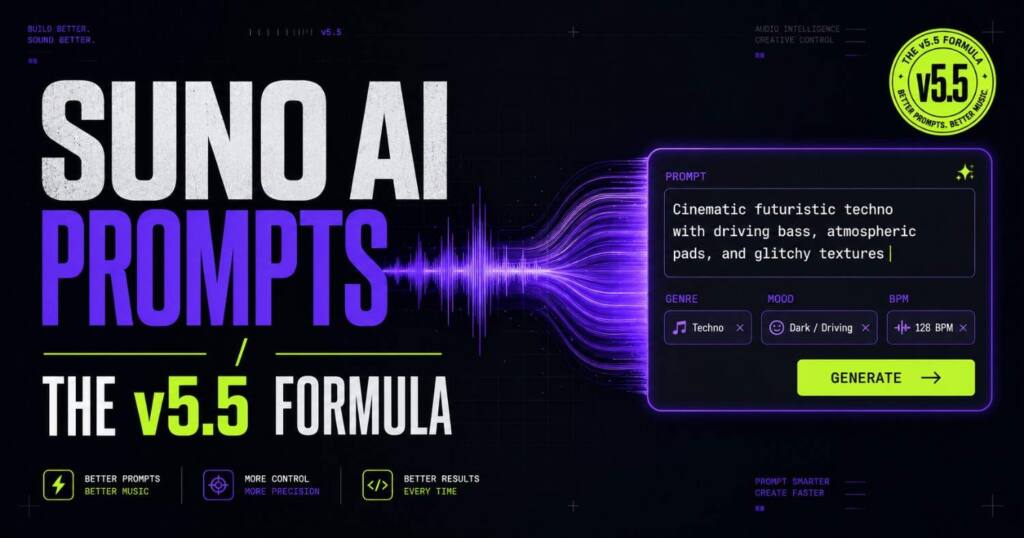
Suno AI prompts that actually work on v5.5: 9 tested formulas, copy-paste examples, and a debugger that fixes generic output fast in 2026.
Stop wasting your Suno credits on unpredictable outputs and start generating exactly what you want on the first try. I just launched the Ultimate Suno AI Prompt Pack, featuring a mastery guide and 1,000 battle-tested prompts structured in a developer-ready JSON database. Grab it today to plug these proven formulas directly into your AI music workflow.
Most people type “pop song” into Suno, hit generate, and wonder why it sounds like elevator music. The tool isn’t broken. The prompt is.
Suno AI prompts are the whole game. Over 12 million people use Suno, and roughly 7 million tracks get generated every single day, yet the gap between a track worth keeping and forgettable mush comes down to maybe six words in a text box, which is a strange thing to realize the first time it happens to you. After the March 2026 update, that gap got wider, not smaller. v5.5 rewards people who write Suno AI prompts like a producer giving direction, and it quietly punishes anyone who stacks random tags and hopes the model figures out the rest on its own. Here’s how to land on the right side of that line.
Why Most Suno AI Prompts Sound Generic
Suno defaults to the average. Type “rock song” and it builds toward the statistical center of every rock song in its training data, which is to say the blandest possible version of the genre. That center isn’t bad. It’s just forgettable. And forgettable is exactly what most beginner Suno AI prompts produce.
The fix isn’t more words. It’s specificity in the right places. The best Suno AI prompts are precise. Not long. “Sad jazz” gets you filler. “Modal jazz, spacious improvisation, muted trumpet, late-night club atmosphere” gets you something with a point of view. Same field, same effort. Wildly different result.
Two mistakes show up constantly. First, people confuse Suno’s two input fields. The Style of Music box takes sonic descriptors. The Lyrics box takes your words plus structure tags like [Verse] and [Chorus]. Drop a [Chorus] tag into the Style field and nothing happens. Drop genre descriptors into the Lyrics box and you’ve wasted them. Second, people pile on tags hoping volume equals control. It doesn’t. Past about ten descriptors, Suno starts ignoring whatever came last, so half your carefully chosen Suno AI prompts get silently dropped before a single note ever plays.
The Formula Behind Every Working Suno AI Prompt
Every reliable Suno AI prompt follows one structure:
[Genre] + [Mood] + [Instrument] + [Vocal Style] + [Era] + [BPM]
Five to eight tags is the sweet spot. Under four reads as vague. Over ten starts to fight itself. Lo-fi plus loud drums cancel out. Slow jazz plus 140 BPM confuses the model into picking one and dropping the other.
Genre goes first. Always. It’s the load-bearing tag, the one that biases every layer underneath it. Get genre right and everything else just fine-tunes. Get it wrong and no pile of mood tags will rescue the track.
A worked example: 1980s synthwave, nostalgic and bittersweet, analog synth arpeggios, ethereal female vocals, 118 BPM. That’s fourteen words. It hands Suno a decade, an emotional register, a specific instrument, a vocal direction, and a tempo, with nothing left over for the model to misread or contradict. This shape is what almost all good Suno AI prompts share underneath the surface variety.
What Actually Changed in v5.5
This is the part most guides published before April skipped, and it’s the reason old advice keeps quietly failing people. The March 2026 update made Suno more opinionated. It stopped behaving like a keyword tool. It started behaving like a session musician who follows direction.
Three concrete shifts matter for how you write Suno AI prompts now.
BPM tags are respected far more consistently. Ask for 90 BPM and still get something faster? Check whether a mood or genre tag is implying a different tempo and fighting your number. One of them has to win. Cut the loser.
Era tags bias production harder. Tagging “1970s” doesn’t just suggest a vibe. It pushes the entire mix toward analog warmth and period recording aesthetics, which makes era one of the cheapest possible ways to kill the sterile, over-polished sound that gives AI music away in about three seconds flat.
“Instrumental” now has to sit at the very end of your tag list to register reliably. Put it in the middle and v5.5 sometimes generates vocals anyway. Small detail. It also burns three regenerations before you notice what went wrong.
The bigger takeaway is a mindset change. Stop thinking like someone filling out a keyword form. Think like a producer telling a band what to play. That one shift does more for the quality of your Suno AI prompts than any single tag swap ever will.
The Honest Case Against Giant Tag Lists
Here’s a take that cuts against most of the popular guides, including the 300-tag reference lists that dominate search right now. After the v5.5 update, those exhaustive artist-to-style dumps are getting less useful, not more. Long lists just aren’t where good Suno AI prompts come from anymore.
The reason is simple. The model now responds better to clear creative direction than to long stacks of comma-separated keywords. A tight six-tag prompt written with intent beats a twelve-tag pile scraped off a reference table. Every time. The encyclopedic lists still have one real job: helping you find a starting sound when you genuinely don’t know what you want. As a lookup, “what tags approximate this artist” works fine. As a copy-paste shortcut to a finished track, the long lists quietly encourage the exact over-tagging that v5.5 now punishes.
So use the big references as a menu, not a recipe. Pull two or three tags that fit. Then shape them like a director instead of dumping the whole row into the box and praying.
Copy-Paste Suno AI Prompts That Work on v5.5
These Suno AI prompts are built on the formula above and tuned for the current model. Paste one. Then change a single variable at a time to learn how Suno actually responds to you.
Lo-fi study beat: lo-fi hip hop, melancholic, dusty vinyl texture, soft piano, muted trumpet, gentle rain ambience, 75 BPM, no vocals
Trap banger: trap, dark and cinematic, 808 bass, hi-hat rolls, orchestral strings, aggressive male rap vocals, storytelling flow, 140 BPM
Synthwave night drive: synthwave, euphoric and nostalgic, analog synth arpeggios, driving drum machine, 1980s neon aesthetic, no vocals, 118 BPM
Indie folk, emotional: indie folk, melancholic, fingerstyle acoustic guitar, whispered female vocals close-mic, bedroom recording, 88 BPM
Cinematic epic: cinematic orchestral, epic and triumphant, full strings, brass fanfare, choir, thunderous percussion, no vocals
Deep house, late night: deep house, hypnotic and sensual, warm sub-bass, filtered chords, breathy female vocal chops, late night club, 124 BPM
Dark R&B: dark R&B, sensual and moody, Rhodes piano, sub-bass, breathy female vocals, minimal production, 85 BPM
Notice the pattern. Each stays inside the five-to-eight tag range, leads with genre, and carries no internal contradictions. That’s the whole trick. Suno AI prompts that hit on the first try all look like this underneath.
The Artist Workaround
Suno blocks artist names. You can’t type “make it sound like Billie Eilish” and expect anything but a rejection notice. The workaround is describing the musical DNA instead of the name.
Billie Eilish becomes dark pop, minimal, whispery female vocals, bedroom production. The Weeknd becomes dark R&B, cinematic, falsetto male vocals, 80s synth production. Daft Punk becomes French house, robotic vocals, funky basslines, retro-futuristic. You’re not cloning the artist. You’re handing Suno the same ingredients they cook with. These artist-style Suno AI prompts get you a starting point, not a copy. For a deeper run through artist-to-tag translations across pop, hip-hop, rock, metal, and more, the [full style reference](INTERNAL: suno style tags reference) breaks down hundreds of these equivalents in one place.
Mood Tags Beat “Happy” and “Sad”
Drop the obvious emotion words. Strong Suno AI prompts skip “happy” and “sad” because those words are so broad they barely steer the melody at all, where something sharper does real work. Reach for tags that carry a specific harmonic and rhythmic implication instead: melancholic, nostalgic, haunting, euphoric, bittersweet, triumphant, brooding, cinematic, intimate, ethereal. Each one guides pacing and chord choice in a way “sad” never will. “Bittersweet” and “melancholic” are different instructions. Suno hears it.
The Lyrics Box Is Where Great Tracks Are Made
Style tags handle the sound. The lyrics box handles structure. Most guides go quiet here. That silence is exactly why so many otherwise solid Suno AI prompts produce a great sound wrapped around a song with no real shape to it.
Section tags like [Verse], [Chorus], and [Bridge] tell Suno how to arrange what you wrote. Skip them and the model rearranges your content however it feels like, which usually means your best line never becomes the hook it deserved to be. So the best Suno AI prompts always pair style tags with structured lyrics.
Vocal cues go inside the lyrics box too, on their own line, right before the section they apply to. Something like (whispered, intimate) above a verse and (belted, powerful) above the chorus gives Suno a target it can actually hit. “Male vocals” in the style field is almost no direction at all. “Raspy male tenor, dry close-mic recording” plus an in-lyrics cue is a clear instruction the model can follow. If you want the deep version of this, our guide to [structuring lyrics and extensions](INTERNAL: suno lyrics structure guide) walks through section tags and the Extend workflow end to end.
Two more structural tips. Keep your chorus to two or three lines. A chorus over four lines tends to flatten out melodically because Suno spreads the tune too thin across the words. And move your strongest line to the first position of each section, because the opening line of a verse or chorus reliably pulls the most melodic attention from the model.
Fast Debugging When A Track Sounds Wrong
When your Suno AI prompts miss, fix one tag at a time instead of rewriting the whole thing from scratch. This table maps the most common failures to their fix.
| Symptom | Fix |
|---|---|
| Vocals sound robotic | Add character: “raspy tenor, dry close-mic recording” |
| Wrong genre keeps appearing | Move the genre tag to position one |
| Output sounds completely generic | You have fewer than five tags. Add mood and production |
| Suno ignores your structure | Add [Verse] and [Chorus] tags in the lyrics box |
| Vocals keep switching gender | Add “male vocals” or “female vocals” explicitly |
| Track sounds sterile | Add “analog warmth” or a decade era tag |
| Tags conflict | Remove contradictions. “Lo-fi” plus “loud drums” cancel out |
Suno AI prompts can also push raw, unpolished textures with negative cues. Adding -glossy, -autotune, or -hiss tells v5.5 exactly what to strip out, which helps when the default mix sounds too clean for the genre you’re chasing.
A Note On Indian And Regional Styles
Most guides for Suno AI prompts ignore non-Western music entirely. That leaves a wide-open lane. Suno handles Bollywood, Carnatic, Hindustani, Bhangra, and Sufi qawwali surprisingly well, as long as you give it the right instruments and scales.
A Bollywood romantic prompt: Bollywood pop, euphoric and romantic, sitar and tabla, lush orchestral strings, powerful female filmi vocals, cinematic production, 110 BPM. A Sufi qawwali: Sufi qawwali, devotional and trance-inducing, harmonium and tabla, call-and-response male vocals, building intensity. Naming the specific instruments, tabla, sitar, harmonium, sarangi, dhol, does most of the heavy lifting in these regional Suno AI prompts.
Frequently Asked Questions
How many tags should a Suno AI prompt have? Five to eight. Under four produces generic output. Over ten makes the model drop whatever came last. When unsure, prioritize genre, mood, lead instrument, vocal style, and BPM, in that order.
Why does Suno ignore my BPM tag? In v5.5 it usually doesn’t. If it still does, you probably have a mood or genre tag implying a conflicting tempo, and “slow ballad” fighting “140 BPM” forces the model to pick one of the two for you. Cut the one you care about less.
What’s the difference between Simple and Custom mode? Simple mode uses only the style box and auto-writes lyrics. Good for testing a sound fast. Custom mode lets you add section tags and paste your own lyrics, and it’s the one you need for anything you actually want to keep and release.
How do I fix robotic-sounding vocals? Add vocal character tags. “Raspy,” “breathy,” or “warm close-mic recording” all help, and then an era tag like “1970s” biases production toward natural recording aesthetics, which softens the synthetic edge fast.
Can I make a full song in one generation? No. You build it in clips. Generate the opening. Hit Extend. Add the next section tag and lyrics. Repeat. Re-paste your style tags at every extension. Otherwise the genre quietly drifts on you.

Ved Vyas
Writer at Fable Knows, covering AI and the technology shaping everyday life.
Related stories.
Fable 5 Return: 5 Critical Things the Headlines Are Skipping
The Fable 5 return is close. What comes back, and at what price, is the part nobody is reporting clearly. Fifteen days after the…
Mythos 5 Is Back: US Frees Anthropic’s AI for 100+ Firms
Mythos 5 is cleared for 100+ US institutions after a 12-day block. See why the government froze Anthropic’s model, what triggered it, and what’s…